 Sound Forge
Library & kinds
Import local audio into your Library. Every Clip is Music, Ambience, or Effect — tagged once, then reused across Scenes.
Local Library · macOS · Windows · Linux
A tabletop RPG soundboard for the GM — local Clips, live Scenes, one output to the room.
Unsigned builds · macOS · Windows · Linux
Session
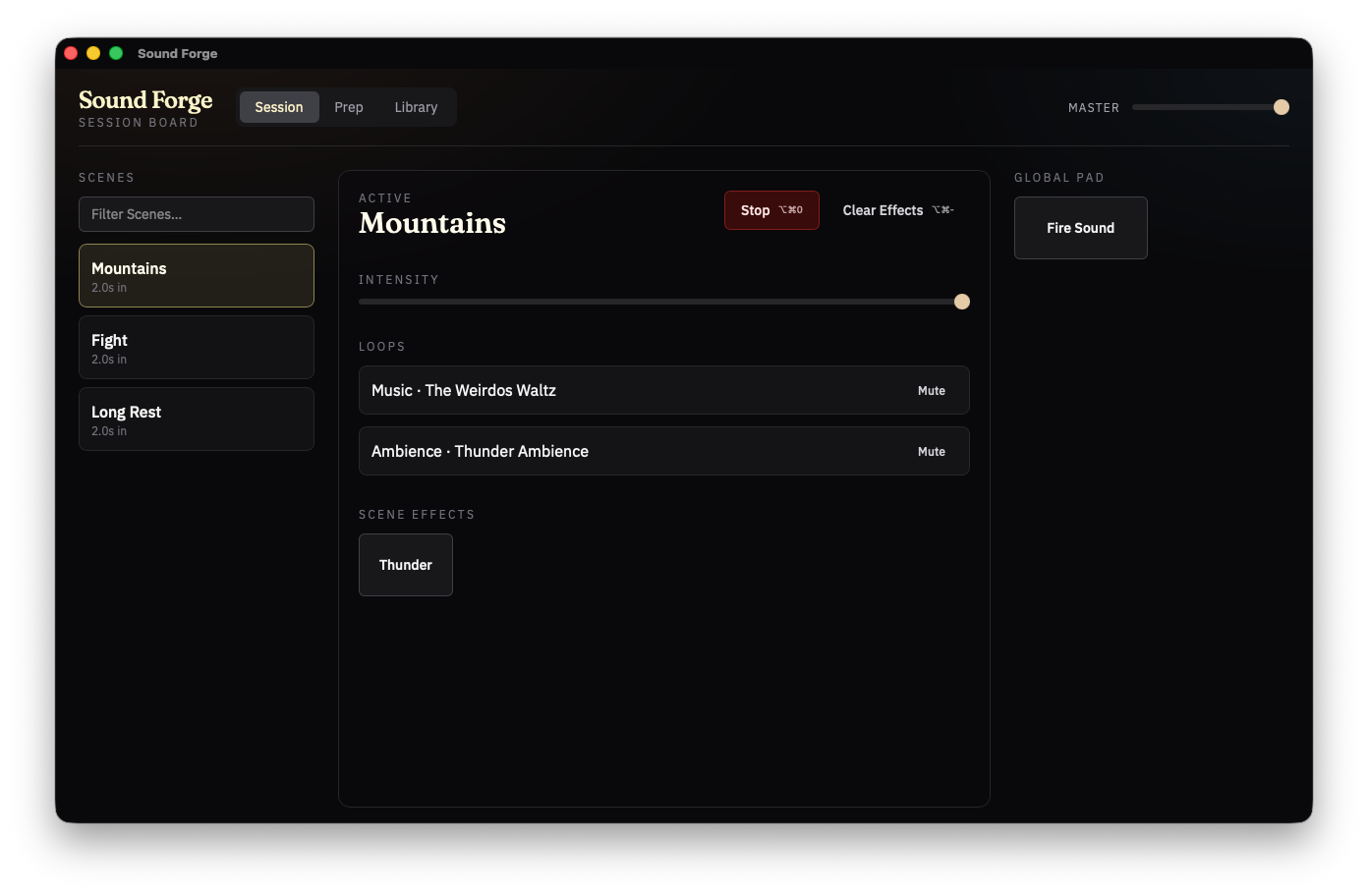
The board in Session: Scenes on the left, the active Scene and Intensity in the center, Global Pad on the right, Master in the header.
MasterWhole output
ScenesTap to replace
IntensityRide the live Scene
Global PadTable-wide Effects
Library and Prep
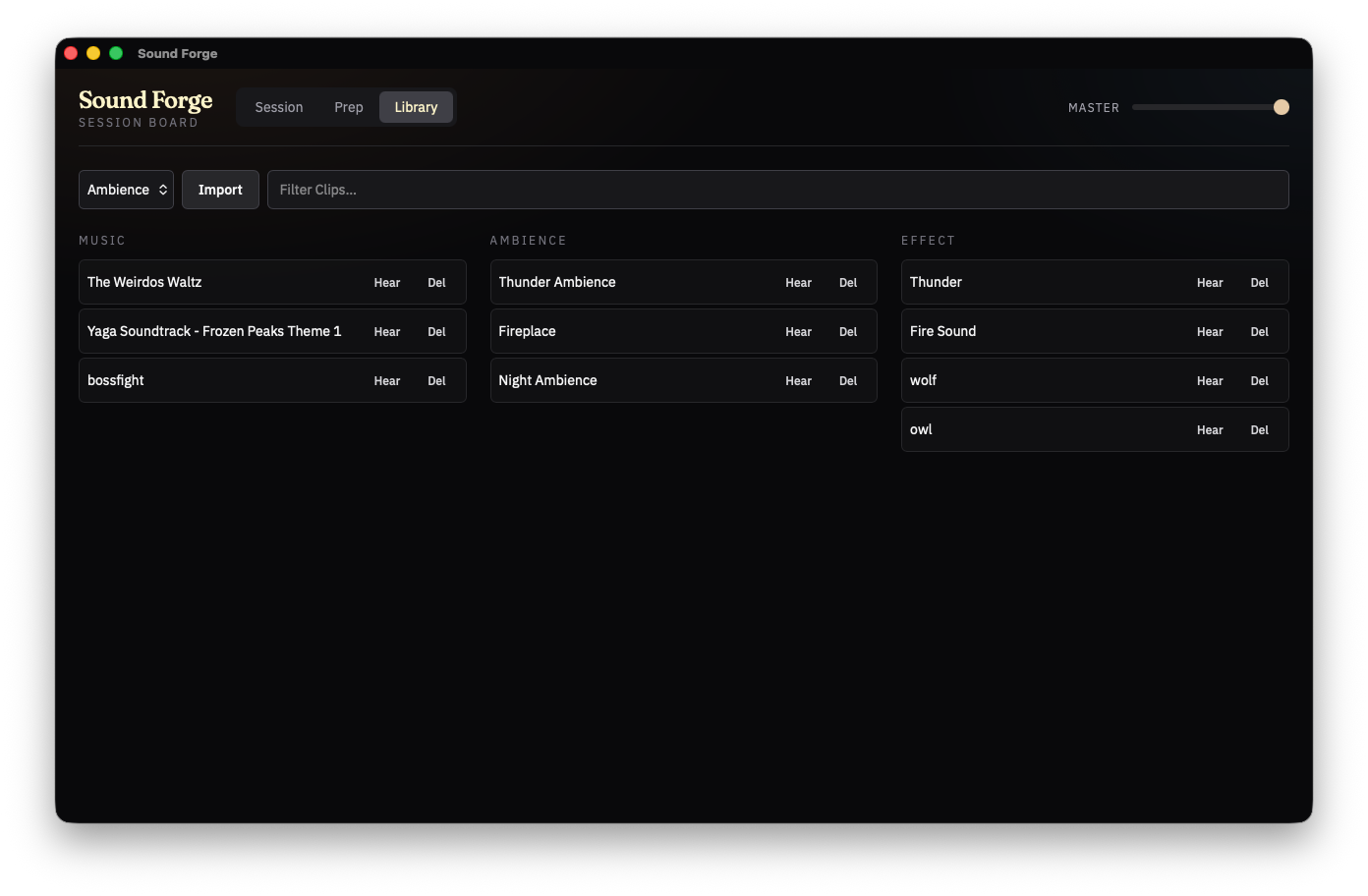
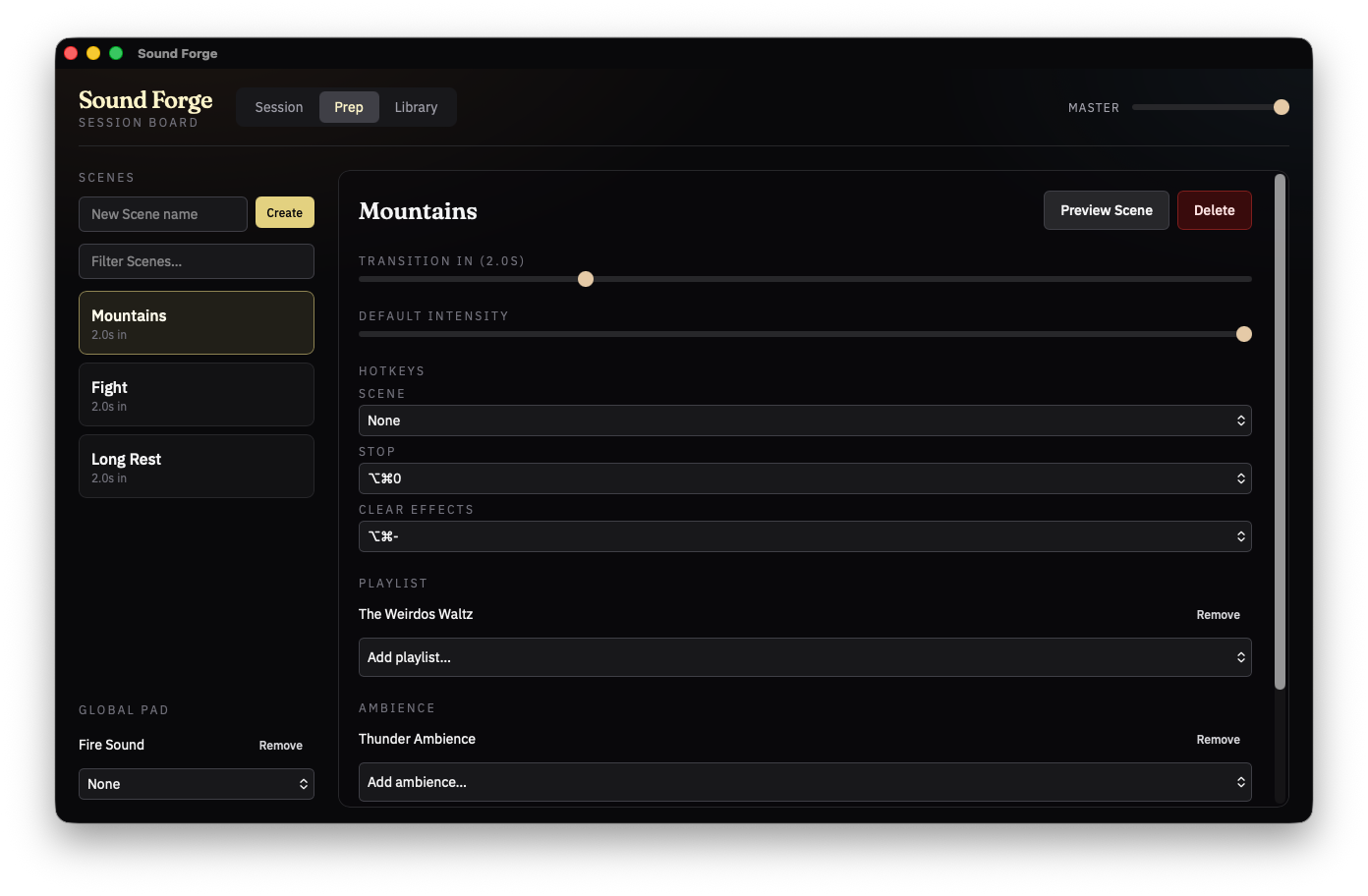
Library tags every Clip as Music, Ambience, or Effect. Prep authors Scenes, the Global Pad, and Hotkeys. Neither view Stops a live Session.
Library
Import local audio, set kinds, rename Clips. Filter the collection without leaving the board.
Prep
Build and Delete Scenes, author the Global Pad, assign Hotkeys. Preview a Scene without using Session.
Features
One GM, local Clips, at most one Scene active.
Import local audio into your Library. Every Clip is Music, Ambience, or Effect — tagged once, then reused across Scenes.
A Scene is the atmosphere you tap: Playlist, stacking Ambiences, Scene Effects. At most one Scene is active; the next replaces it with a Transition you authored.
Fire Effects that belong to the active Scene, or keep table-wide cues on the Global Pad. Effects overlap when you hit them again.
Ride Intensity on the live Scene to scale Music and Ambience together. Master covers the whole output. Mute a bad loop without Stopping the Scene.
Assign chords for Scenes, Pad Effects, Stop, and Clear Effects. They work with eyes on the table — even when Sound Forge is not in front.
Share the Library as a Clip Pack — Clips embedded, Scenes and Pad optional. Hotkeys and Master stay put. Local once installed, not a streaming catalog.
The board
Files you already have. Nothing to subscribe to.
Launch it, import, run the Session.
The room hears what the GM plays.
Build the board, then run it.
Install
Signed builds are not ready yet. macOS Gatekeeper and Windows SmartScreen may warn.
Other versions and formats— .deb, .msi, and older releases.
FAQ
No. Sound Forge is a tabletop RPG GM soundboard — unrelated to MAGIX Sound Forge or Boris FX Sound Forge (the professional audio editor). This app is for running live audio at your TTRPG table.
No. The Library is local. Import Clips from files you already have and run the Session from this machine.
The atmosphere you tap: a Playlist, stacking Ambiences, and Scene Effects. At most one Scene is active. Tapping another replaces it with the incoming Transition.
The three Clip kinds, tagged once in the Library. Music is exclusive — at most one plays. Ambiences stack and repeat. Effects play once when you fire them, and overlap if you fire again.
No. One GM, one output. Sound Forge is the Session board for the person running the table.
Yes. Builds are unsigned for now — macOS Gatekeeper and Windows SmartScreen may warn until code signing is added.
Not v1. You bring your own Clips. There is no streaming catalog and no player client.
Syrinscape offers deep control and a large curated catalog, but it takes more setup and ongoing management. Sound Forge is built with simplicity in mind: import your own Clips, tag them once, build Scenes in Prep, and run the Session with minimal friction.
This is a known issue with unsigned builds. You can still run it by right-clicking the app and selecting 'Open'. Or you type in the terminal 'xattr -r -d com.apple.quarantine /Applications/Sound Forge.app' to remove the quarantine attribute.